
Bridge the gap between Salesforce and Slack.

Centro connects Salesforce and Slack without code. Every conversation stays tied to a record, whether it happens in a channel, a DM, or with an external partner over Slack Connect.

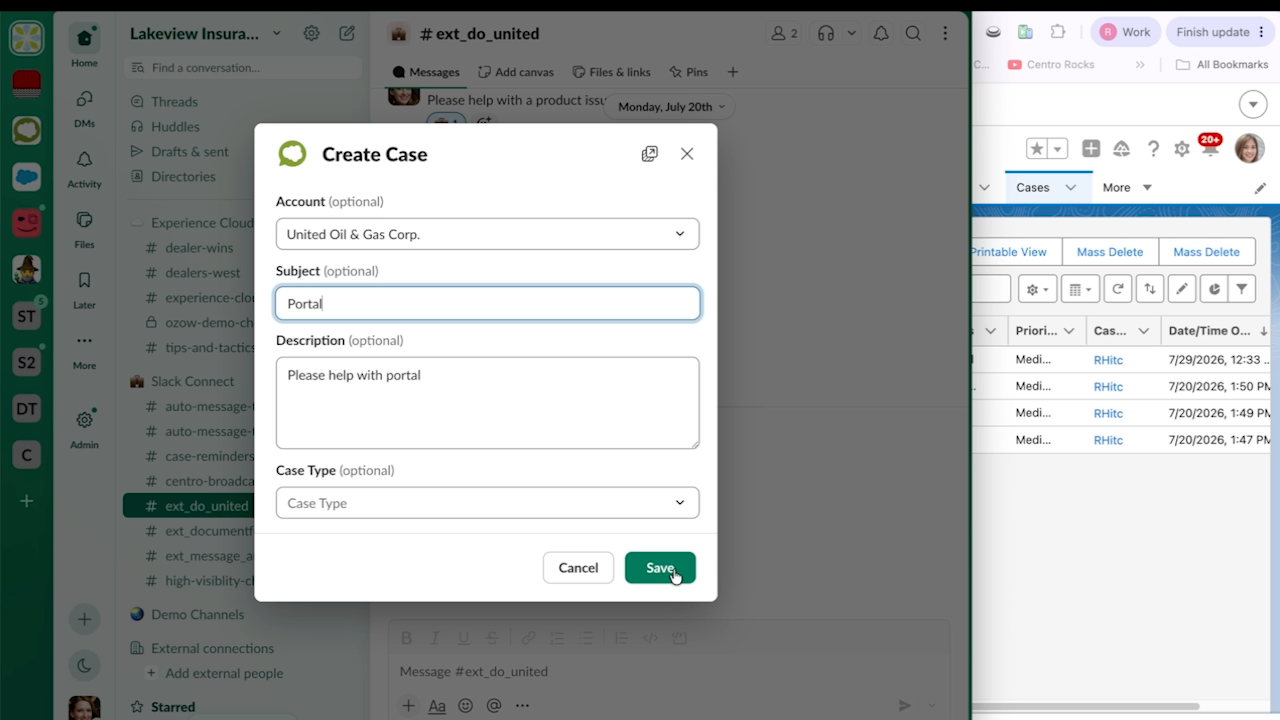
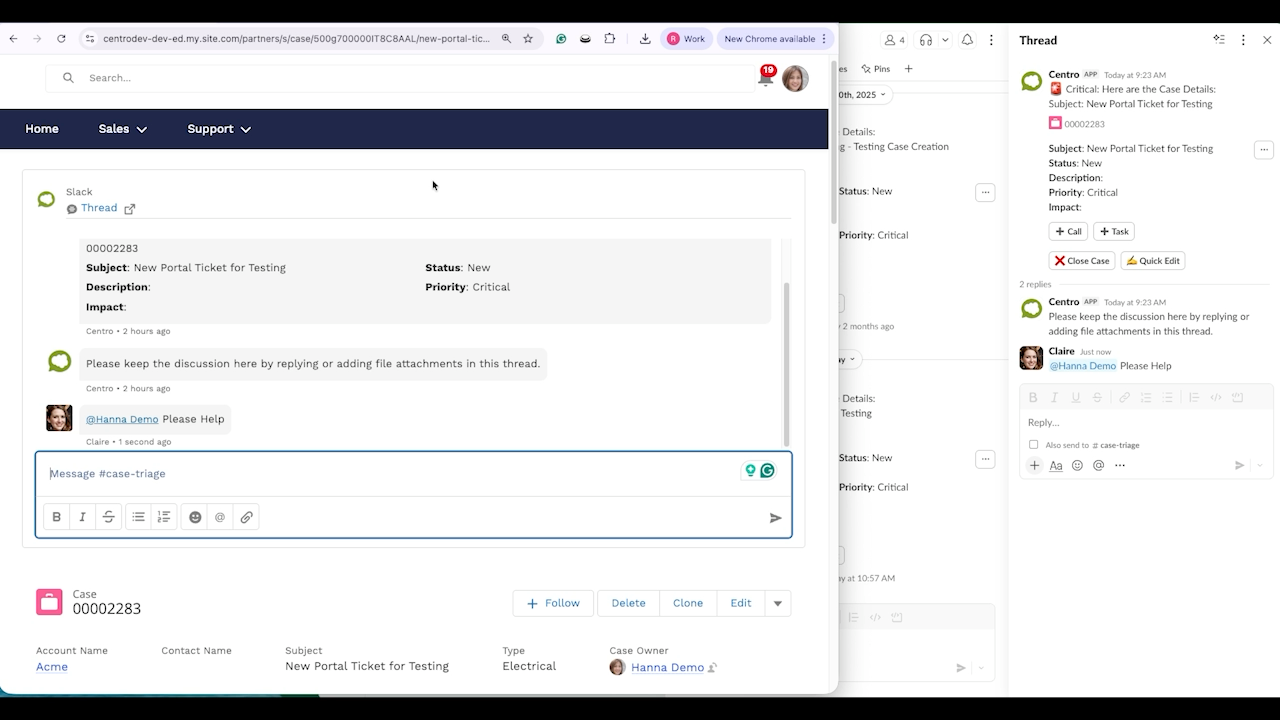
Create Cases from any message

Turn a channel message or DM into a Salesforce Case in two clicks. Fields map automatically, and the thread stays linked to the record.

Creating a Salesforce Case from a Slack message

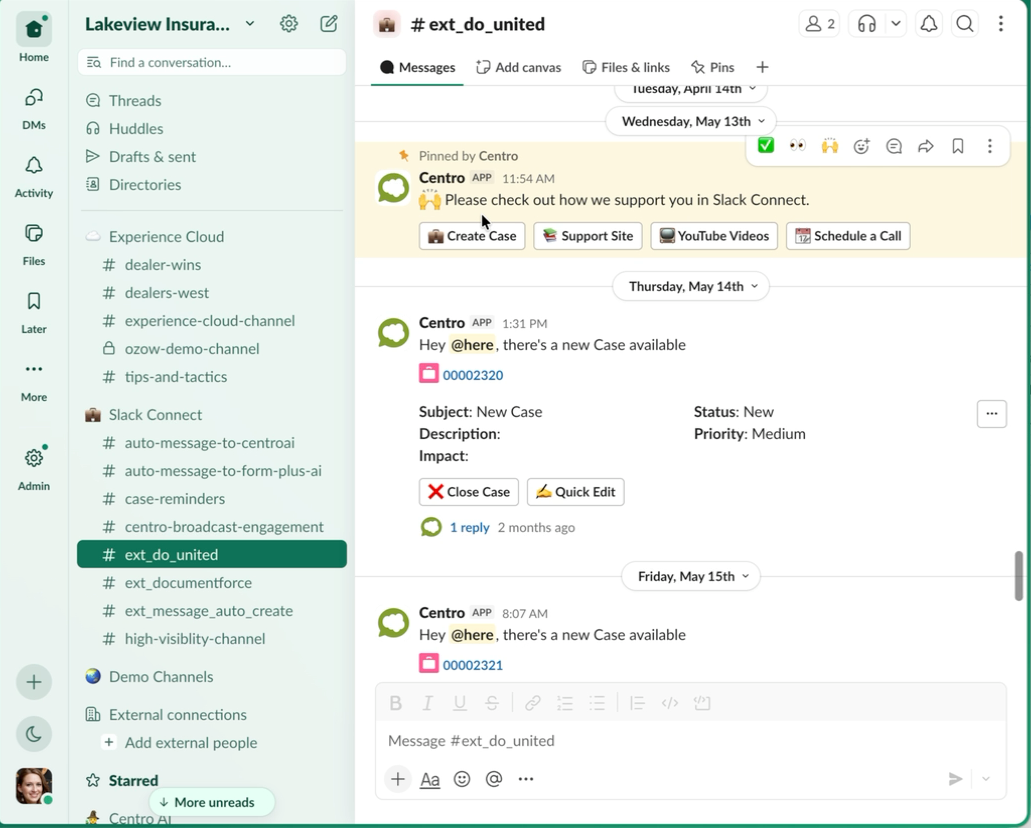
Work with partners over Slack Connect

Centro runs on a shared Salesforce connection. External partners and customers in Slack Connect channels can submit forms, log cases, and see record updates without a Salesforce license.

Working with partners in a Slack Connect channel

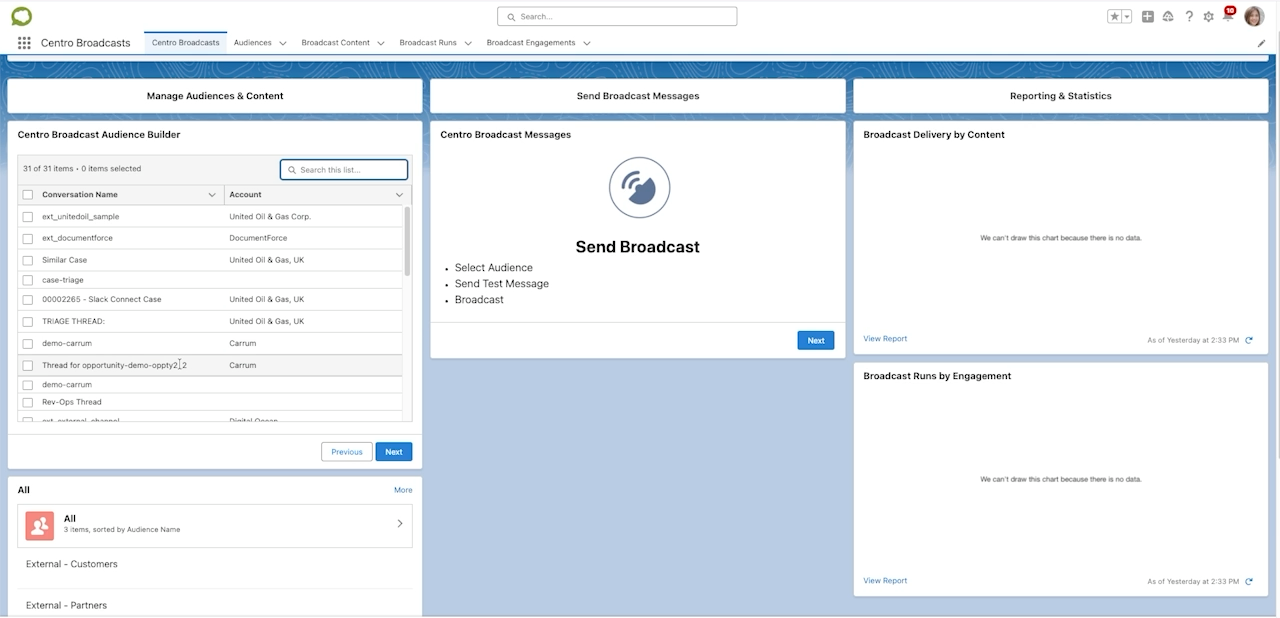
Broadcasts

Send targeted messages from Salesforce to hundreds of channels or users at once. Build audiences from your conversations, trigger sends from Flow, and track delivery and engagement.

Comparing against the out-of-the-box Salesforce and Slack integration? See the full comparison.

Broadcasts app showing targeted sends

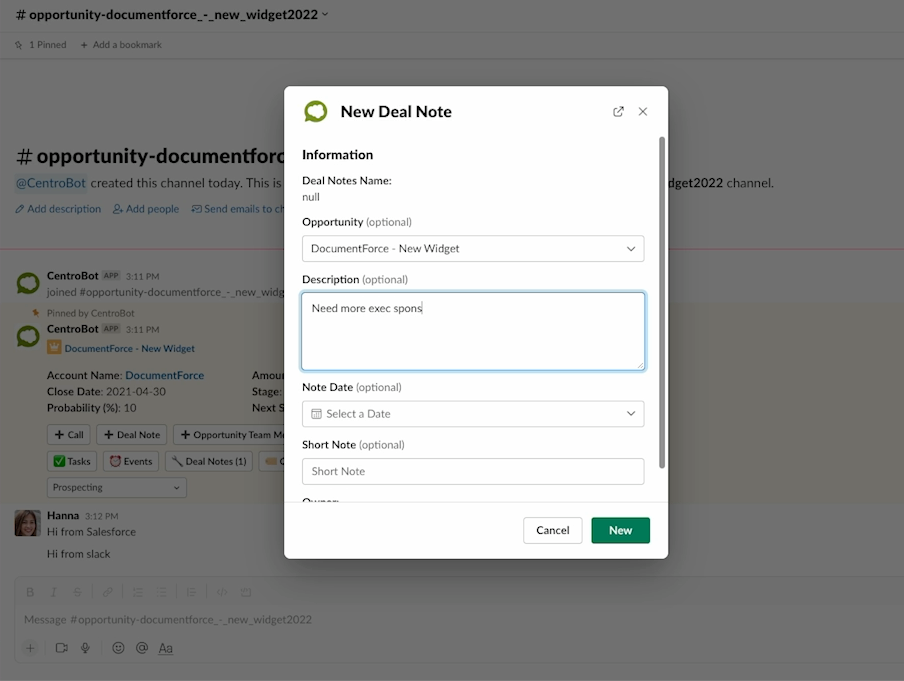
Keep deals updated from Slack

Centro sends triggered notifications when records need attention. Reps update the opportunity in the same thread, no tab switch.

Updating an opportunity from a Slack notification

Experience Cloud

Embed live Slack conversations in your Experience Cloud portals. Community users and internal teams work from the same thread, in sync.

Slack conversation embedded in an Experience Cloud portal

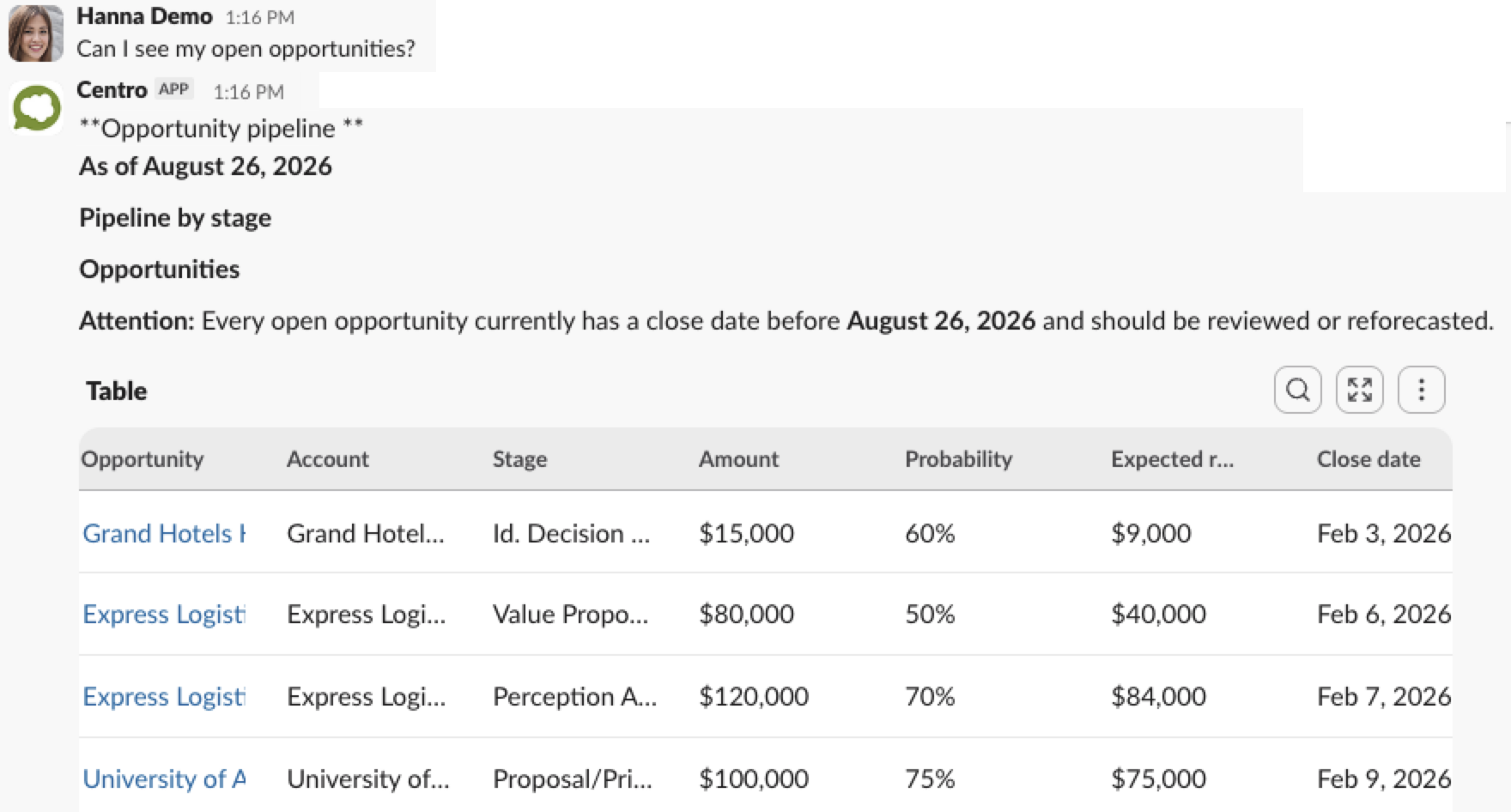
Ask questions, get grounded answers

Ask about any account, deal, or case in Slack. Centro answers from your Salesforce data with citations back to the source record, and never updates a record without your approval.

AI-generated answers can be inaccurate or incomplete. Centro cites source records so you can verify before you act.

Centro answering a pipeline question in Slack with cited Salesforce data

Your brand, not ours

Centro is white-label ready. Apply your own name and logo so every message, form, and notification carries your brand.

Centro white-labeled with a customer brand

Install Centro

1

Click Add to Slack and approve the requested permissions.

2

Connect your Salesforce org when prompted. Centro respects your existing Salesforce permissions.

3

Open Centro from your Slack sidebar and follow the setup guide. Most teams are running in under an hour.

Add to Slack

Prefer a guided start? Book a demo or start a free trial and we'll set it up with you.

Fast setup
Up and running in under an hour
No code
Works with your existing Salesforce customizations, no Apex required
Security
SOC 2 attested

Evaluating against the out-of-the-box Salesforce and Slack integration?

See the comparison

Start saving time in Salesforce, Slack, Microsoft Teams and Agentforce

Tell us about your use case and we'll get you started in minutes. Don't know what you want yet? No problem, we'll help you craft your dream integration based on your business.

Try Centro
Thank you! Your submission has been received!
Oops! Something went wrong while submitting the form.