
Prompt the Rep, Not the AI: A New Paradigm for Agentforce in Microsoft Teams
There’s something about most Agentforce demos that has been bugging us for a while.
They almost always start in the same place: someone opens up the agent in a panel, types in a prompt, and asks it to go do some work. Update the opportunity. Summarize the account. Create a follow-up. All perfectly valid use cases, and technically impressive. But the more I watch these demos, the more I keep coming back to the same thought: this is not how sales reps actually work.
In the real world, the challenge has never been whether AI can help update Salesforce. The challenge is getting reps to take the action in the first place. Anyone who has spent time around pipeline reviews, forecast calls, or RevOps cleanup knows this problem well. Close dates slip. Next steps go stale. Required fields sit blank. It’s not because reps don’t know what’s happening in the deal. It’s because stopping in the middle of their day to update CRM is rarely top of mind.
That is, and still continues to be, the primarly challenge with CRMs in general - getting Sales reps to keep their deals up to date! Prompting an AI will not change this, and in fact, might make things worse. Now layer on a new expectation: ask them to proactively prompt an AI to update Salesforce. That, to me, feels like we may be solving the wrong problem.
The old model assumes the user is going to remember to go ask the AI for help. But in practice, that’s asking for even more deliberate behavior from the very audience that already struggles to keep systems up to date. If getting someone to update Salesforce is already difficult, expecting them to first think “I should go prompt the agent” is another layer of friction.
That’s why I’ve become increasingly convinced that the model needs to flip.
Instead of prompting the AI, the AI should be prompting the rep.
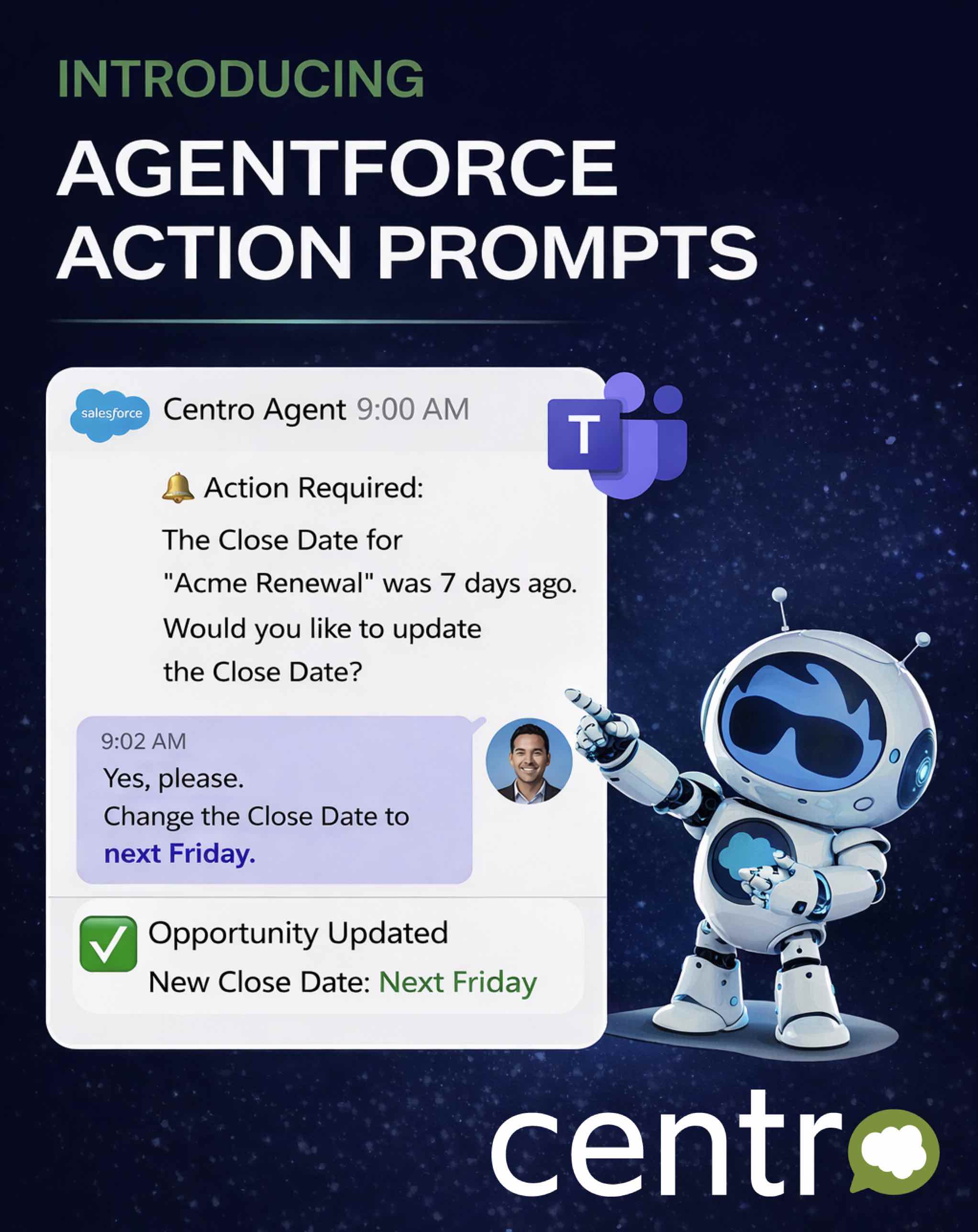
That simple shift is what led us to build Agentforce Action Prompts for Microsoft Teams.
I was watching what was happening with products like OpenClaw and really appreciated the change in thinking. The agent wasn’t sitting passively, waiting for the user to initiate the interaction. It was actively moving work forward by asking the user for the next required action. That felt much closer to how real work gets done inside enterprise teams.
So I challenged our team to bring that concept into our Agentforce + Teams integration.
The result is a proactive workflow where Agentforce reaches out directly to the rep inside Microsoft Teams when something needs attention. Maybe the close date is now in the past. Maybe the opportunity has progressed to a stage where a PO number is required. Maybe there’s missing forecast information that needs to be updated before the next leadership review.
Instead of hoping the rep remembers to log into Salesforce—or even remembers to ask an AI agent for help—the prompt comes directly to them where they’re already working, inside Microsoft Teams.
The rep receives a simple message, clear context, and an easy way to respond. They can update the field, confirm the change, or progress the deal without switching tools or breaking their workflow. The action becomes almost conversational, but importantly, it’s initiated by the system at the right moment.
That is the paradigm shift.
The agent is no longer just a tool waiting for instructions. It becomes an active participant in the workflow, helping keep pipeline data clean and driving the business process forward, and I think this matters far beyond just cleaner CRM fields.
What we’re really improving is speed to action. Better data hygiene is the obvious outcome, but the larger impact is operational. Forecast accuracy improves because updates happen closer to real time. Managers get better visibility. RevOps spends less time chasing reps for missing data. Reps themselves experience less friction because the system is meeting them where they already spend their day.
For enterprises standardized on Microsoft Teams, this becomes even more powerful. Teams is already the collaboration layer for sales, service, and operations. By embedding Agentforce directly into that flow of work, AI stops feeling like a separate destination and starts feeling like part of the team’s natural motion.
To me, this is where enterprise AI is headed: less waiting for the user to think of the perfect prompt, and instead, help them in the moment with minimal friction.
Here's a quick demo:
Ready to see it in action? Book a time with our team here: https://calendly.com/d/ctm4-v75-dc6/centro-team

