
Our office:
1495 Canyon Blvd
Suite 107
Boulder, CO 80302
info@centro.rocks



Centro Builder
The declarative layer under CentroBot. Your Salesforce admin builds channel automation, record cards, forms, and prompts in Salesforce Flow. No Apex, no Block Kit, no Power Automate.
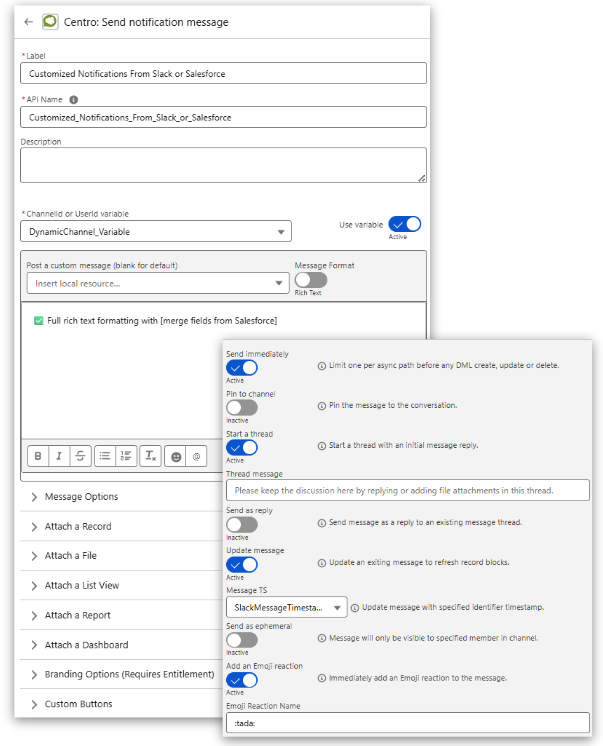
Everything Centro does in chat starts as a Flow. Centro Builder is the set of Flow actions, cards, and forms that turn a Salesforce event into something a person sees and answers in Slack or Teams, and turn their answer back into a Salesforce record. It is what customers ran before CentroBot existed, and it is what CentroBot runs on.
Create a channel when a record meets a condition. Name it from fields. Add members from lookups. Post updates as fields change. Archive on close. Any number of conversations can be linked to any record, standard or custom, and the links show in Salesforce.
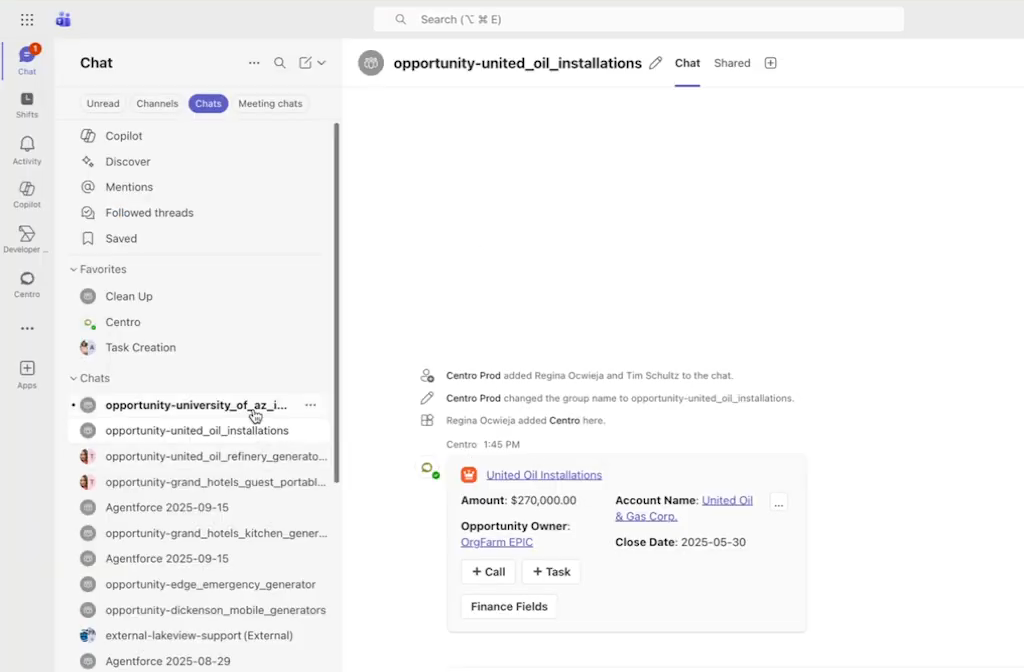

Record Blocks in Slack and Adaptive Cards in Teams show the fields you choose, per record type, with buttons that run Flows. Live Links unfurl a Salesforce URL into a card. Custom tabs in Teams show a record and its related lists without leaving the channel.
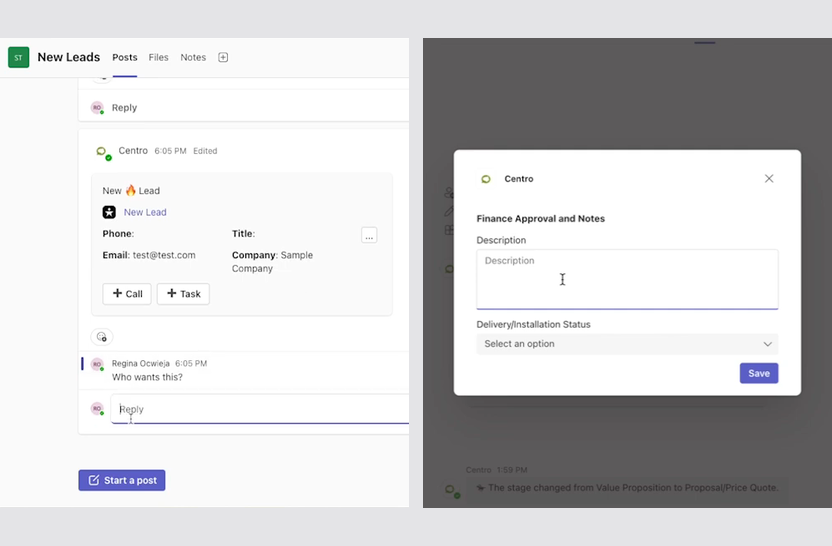
Centro Forms collect input in chat and write it to Salesforce. Action Prompts send a question to one person and put the answer on the record. Broadcasts send a card to a list of users or channels from a Flow or a list view. Every write lands under the user's own login with field history intact.
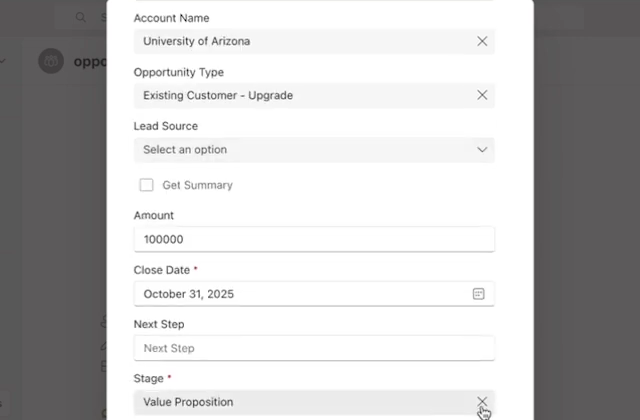
Flow elements cover both directions: Salesforce to chat (post, create channel, add member, prompt, broadcast) and chat to Salesforce (button click, form submit, prompt reply, transcript summary). Approvals work with native Salesforce Approval Processes or a custom Flow-built approval.
The automation user lets teammates without a Salesforce license receive cards, answer prompts, and submit forms, each with individual attribution. Salesforce field-level security is respected on every read and write.
CentroBot adds the conversational layer on top: questions, cited answers, updates by prompt. It needs a connected Salesforce license. Centro Builder is what every user gets, licensed or not. See CentroBot.
Salesforce data is read and written through the Salesforce API with no shadow data store. Messages from Salesforce to chat are queued in a Message Queue object in your own org. SOC 2 Type II. Details on the security page.
No. Every automation is built in Salesforce Flow with Centro's Flow actions. If your admin can build a Flow, they can build the integration.
Yes. Any standard or custom object can create channels, show cards, and receive updates.
Centro Builder is the declarative layer: Flow actions, cards, forms, prompts. CentroBot is the conversational agent on top of it. CentroBot requires a connected Salesforce license; Centro Builder works for every user.
Yes. Approvals can run through native Salesforce Approval Processes or a custom Flow-built approval, with the approve and reject buttons in chat.
Salesforce data is read and written through the Salesforce API and is not copied to a separate database. Messages from Salesforce to chat are queued in a Message Queue object in your own org.
Install the managed package, connect Slack or Teams, and run a Flow in under an hour.