
Our office:
1495 Canyon Blvd
Suite 107
Boulder, CO 80302
info@centro.rocks



Technology and SaaS
Software companies live in chat. Centro puts Salesforce there: a channel for every deal, shared channels with customers, and an agent that prompts the rep before the pipeline review does.
Trusted by technology teams at




Most of Centro's customers are software companies, and they use Salesforce in chat the same way: sales works deals in Slack or Teams channels, customer success runs shared channels with accounts, and RevOps keeps the CRM honest without chasing reps. Everything below is built in Salesforce Flow by your admin, with no Apex, no Block Kit, and no Power Automate.
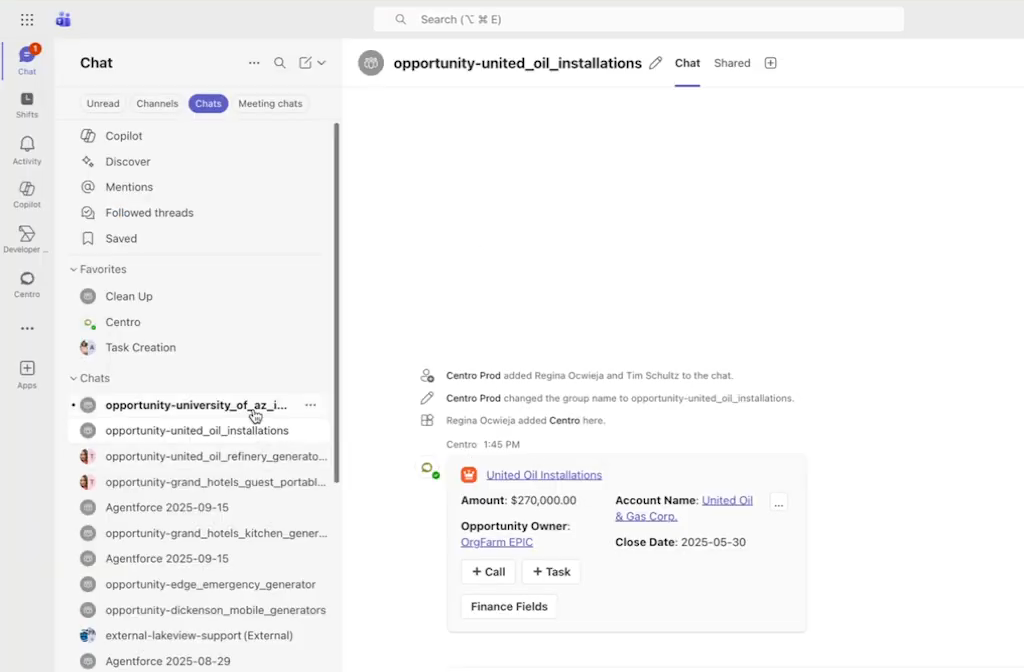
When an opportunity hits a stage you choose, Centro creates the channel, names it from the record, adds the AE, the SE, and whoever else the Flow says, and pins the record. Stage changes, next steps, and close dates post into the channel. When the deal closes, the channel archives itself. Nobody creates channels by hand and nobody hunts for the right one.

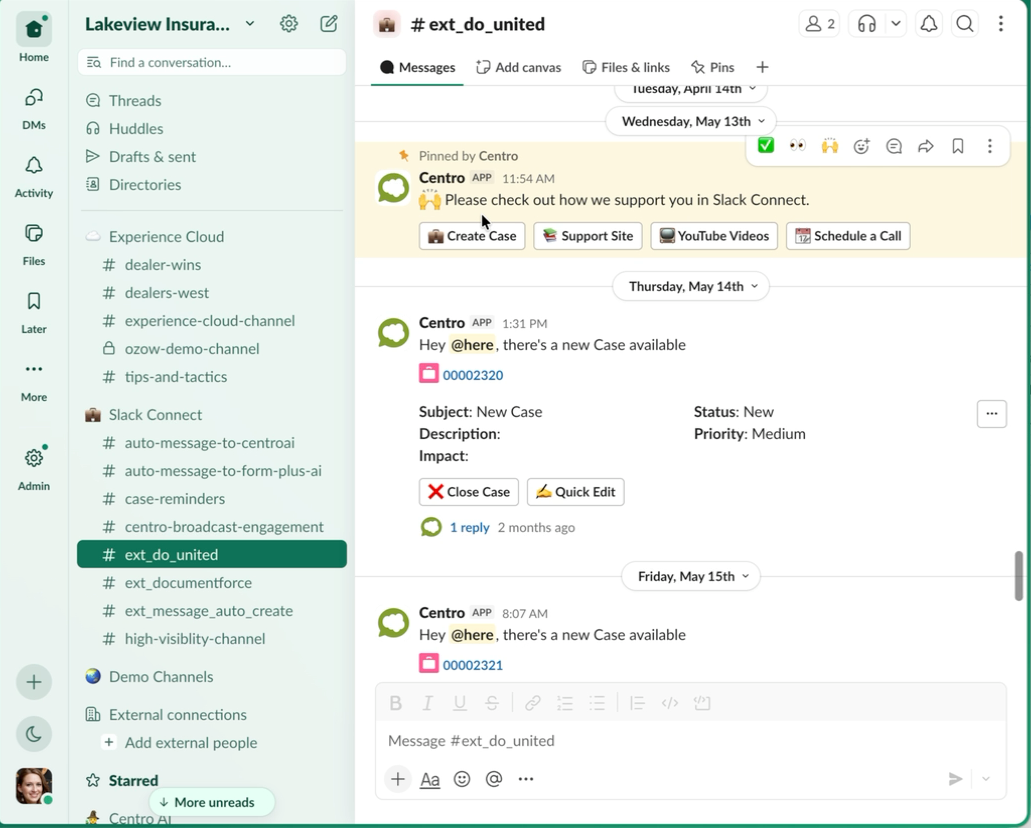
Slack Connect and Teams shared channels tied to the account record. Support cases, renewals, and expansion conversations happen with the customer in the channel and land in Salesforce against the account. Customer success sees the whole history without leaving chat.
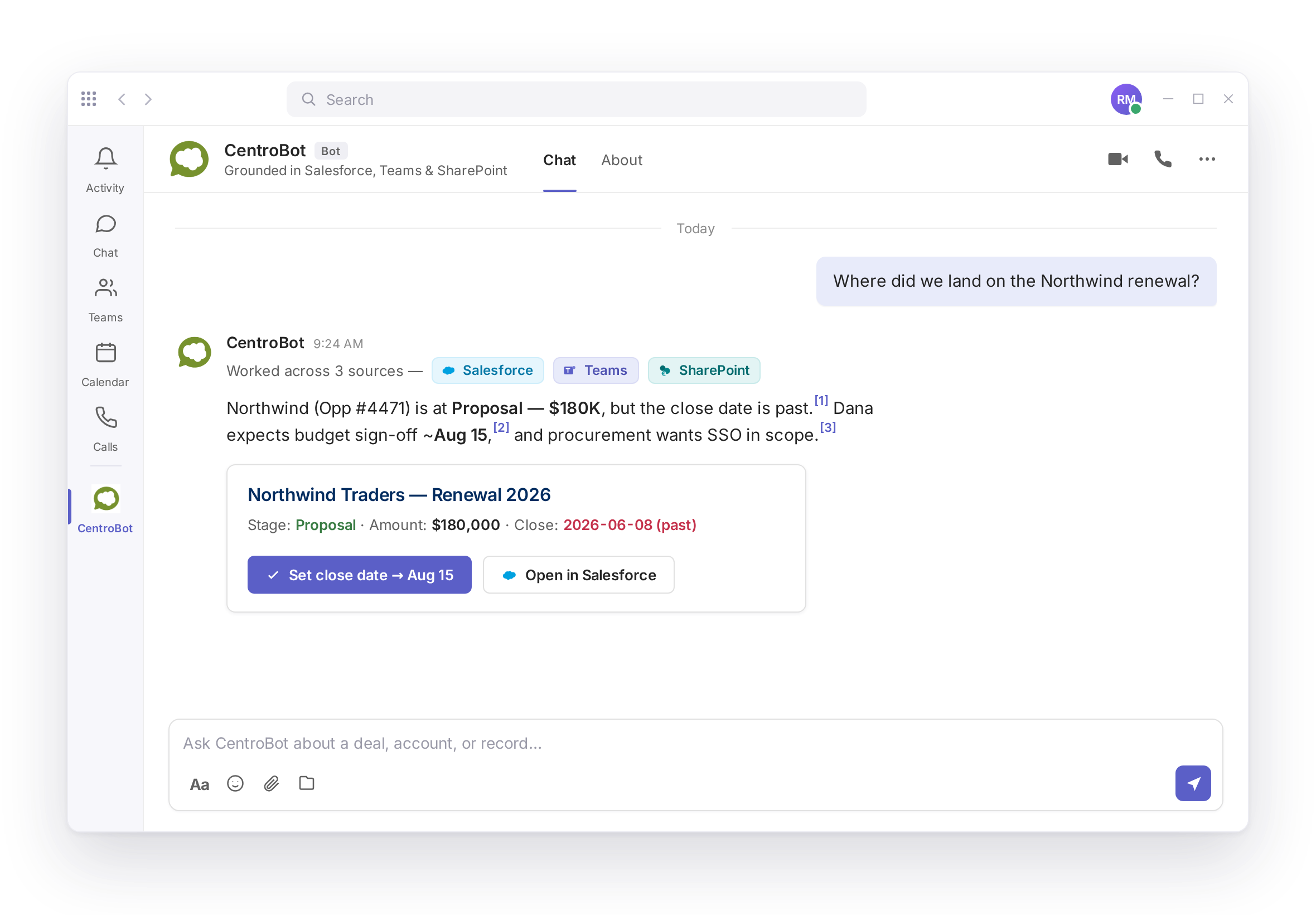
Ask CentroBot what changed on an account, what is stuck in stage three, or which renewals are due this quarter. Answers cite the Salesforce record. Update the opportunity by prompt and confirm before it writes. Action Prompts reverse the direction: when a close date passes or a required field is empty, CentroBot messages the rep first.
SEs, product managers, and support engineers rarely have Salesforce seats. Centro's automation user lets them see the deal channel, answer a prompt, and file a request from chat, with their name on the record. Salesforce licenses stay with the people who need them.
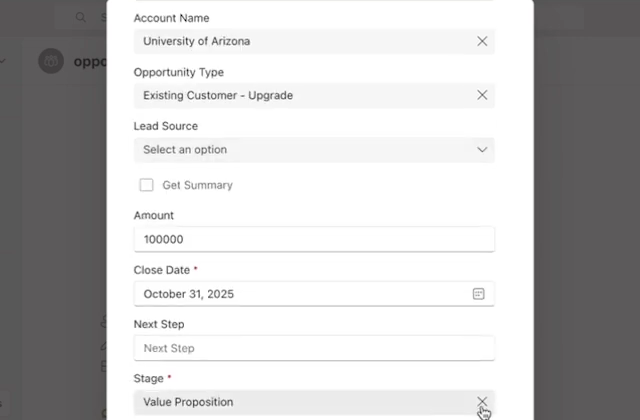
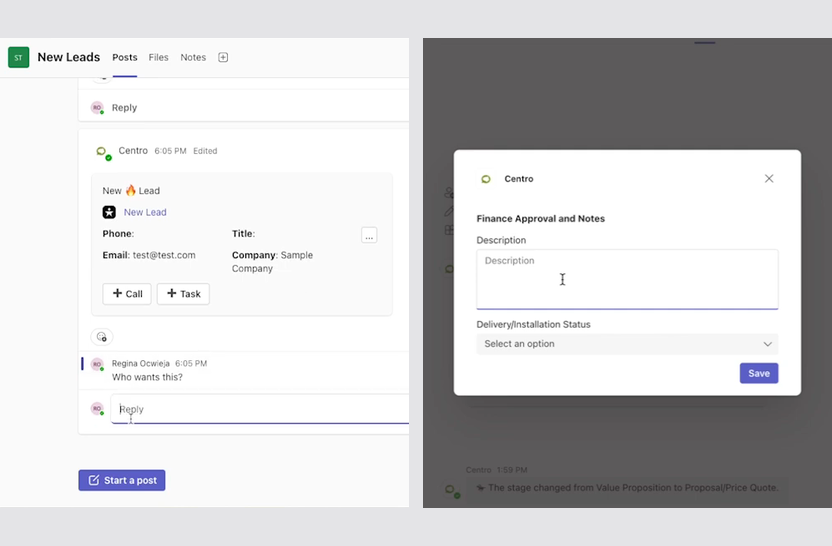
Required-field prompts, stage-gate approvals, and forecast reminders run from Flow and arrive in chat. The rep answers in the thread; the field updates in Salesforce under the rep's own login with field history intact. See the RevOps page for the full playbook.
Karol Gwizdała
Director of CRM Innovations and Solutions, Adtran
SOC 2 Type II, annual third-party pen test, Salesforce data read and written through the Salesforce API with no shadow data store. Details on the security page.
Yes. Channels can be tied to the account or opportunity record, and activity in them lands in Salesforce.
Yes. Centro's automation user lets non-licensed teammates see channels, answer prompts, and file requests from chat, with their name on the record.
No. Automation is built in Salesforce Flow using Centro's actions. No Apex, no Block Kit, no Power Automate.
Yes. Centro runs in Slack and in Microsoft Teams, and mixed companies can run both from one Salesforce org.
Flat per user, no message metering, AI inference included. See the pricing page.
A 30-minute walkthrough on a Salesforce org that looks like yours.