
Our office:
1495 Canyon Blvd
Suite 107
Boulder, CO 80302
info@centro.rocks



Native Salesforce case management in Slack Connect. Your customers never leave Slack, your agents never have to leave the console, and you never set up a second help desk.

What Slack Connect support delivers
5.0 on AppExchange across 44 reviews, 5.0 on G2 across 41.
Requests scattered across threads and DMs.
Every request is a case, in the thread.
Nothing falls through.
Customers chase agents for status.
Status posts to the thread on its own.
Fewer check-ins, faster response.
Simple asks wait for an agent.
Customers create cases, find answers and book time from buttons in the channel.
Agents get time back.

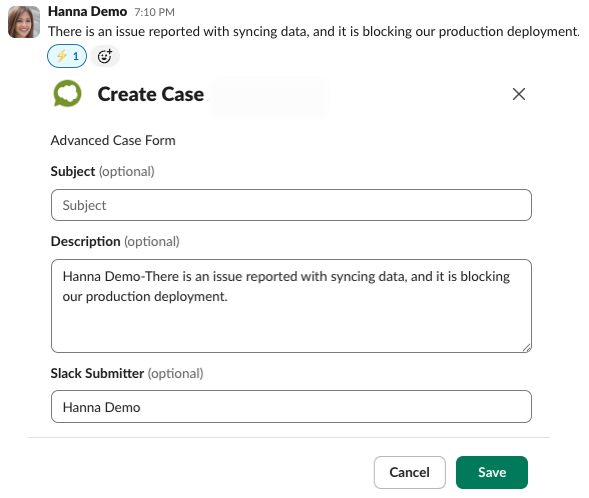
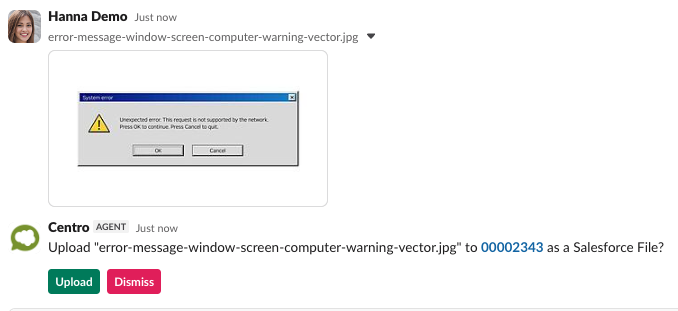
React to a customer message, or use a message shortcut, and a Centro form opens with the thread already filled in. Save, and the Salesforce case is created and linked to the thread.
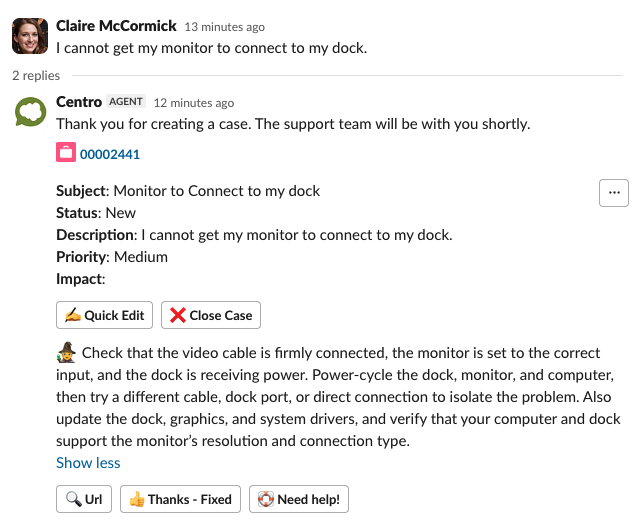
The case posts back to the thread with Quick Edit and Close Case, and a suggested fix the customer can accept or escalate. Simple requests resolve without an agent; channel buttons add new case, support site and book a call.
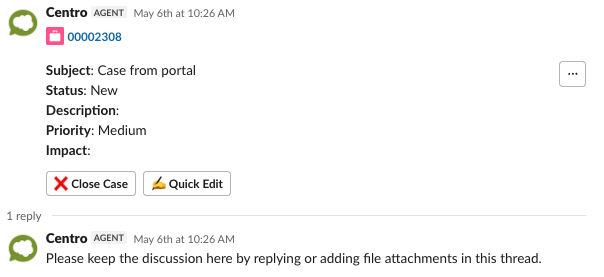
A Record Block posts in the thread with the fields you choose per record type.
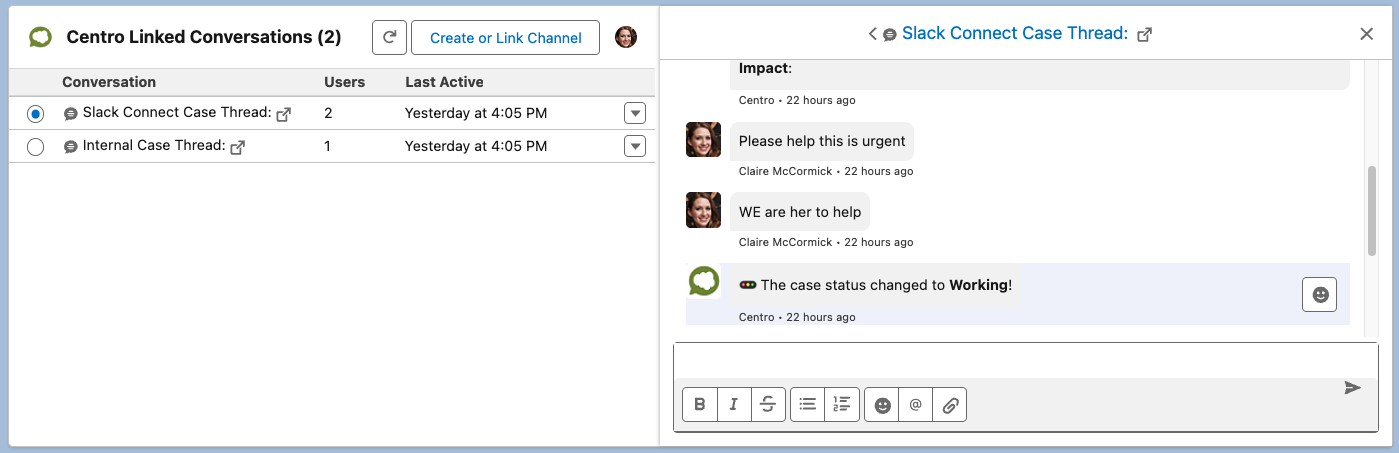
Agents see the thread in the Live Link component and answer without leaving the console.
Status and field changes post to the thread through Flow.
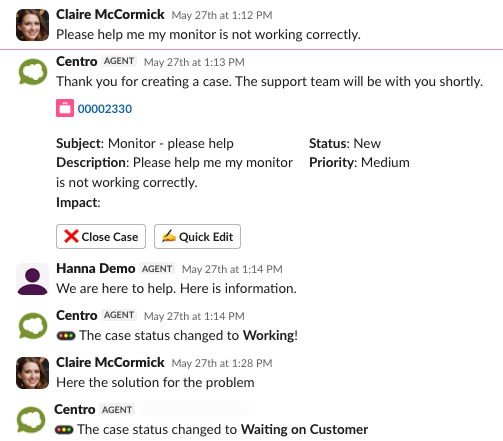
Attachments flow both ways and stay in the thread.
The thread transcript lands in case comments or a field, and a CSAT survey posts on close.

Pick the accounts in Salesforce and one message posts to each linked Slack Connect channel, with every send logged on the record.
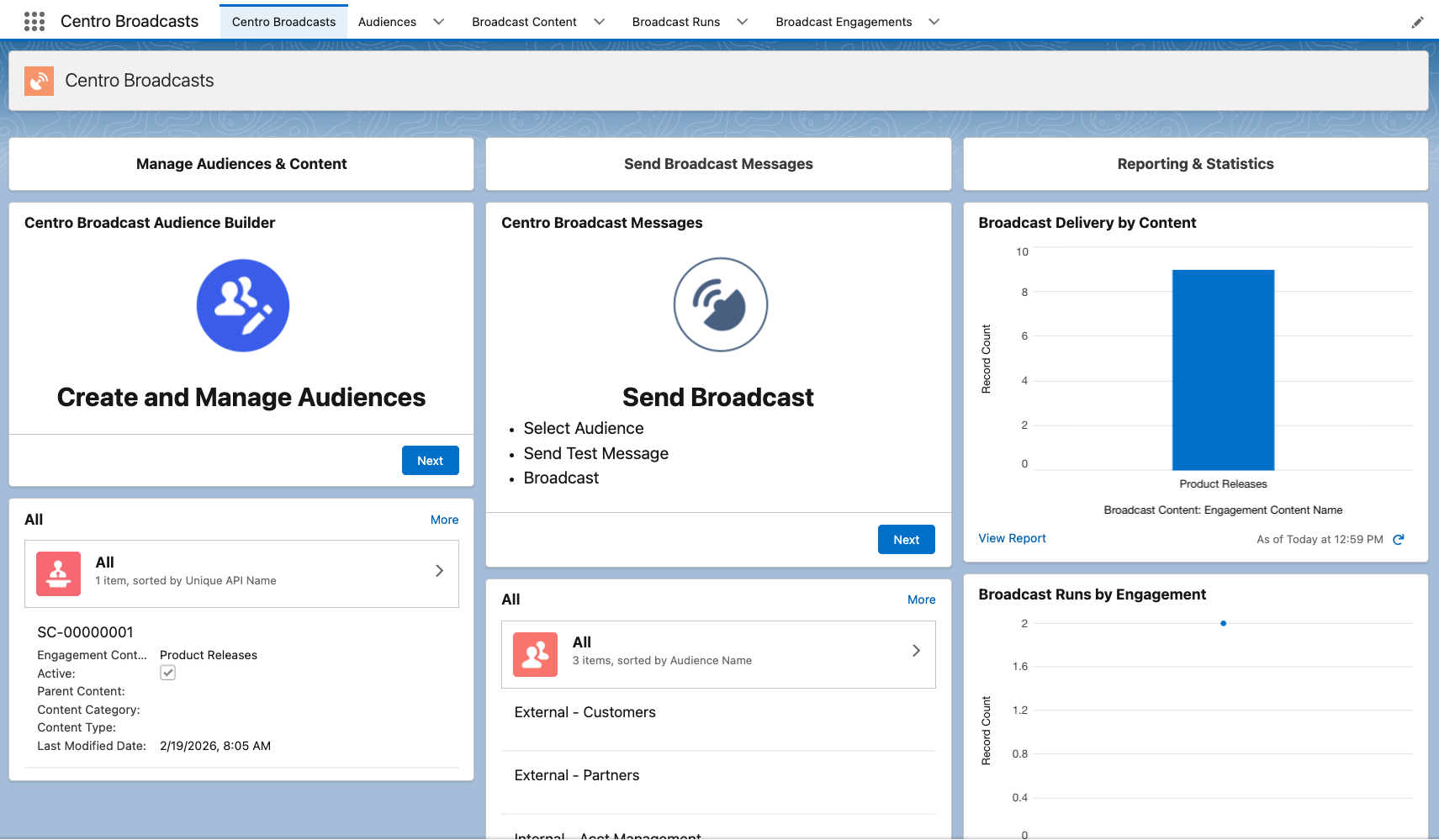
Cases, SLAs, reports and Knowledge stay in Salesforce.
Agents keep their Salesforce license, customers need nothing.
Channel links, comments and attachments are Salesforce records.
Slack Connect help desks sync a copy of the case. Centro works the case itself.
| Centro | Thena | Pylon | ClearFeed | Native Salesforce for Slack | |
|---|---|---|---|---|---|
| System of record | Salesforce | Thena | Pylon | ClearFeed | Salesforce |
| Slack Connect channels | ✓ | Yes | Yes | Yes | Internal only |
| Case from emoji or button | ✓ | Yes | Yes | Yes | Yes |
| Agents reply from Salesforce | ✓ | Partial1 | No | Partial2 | Yes |
| Flow drives the thread | ✓ | No | No | No | Partial |
| Transcript on the case | ✓ | Partial3 | No | Yes | Partial |
| CSAT on close | ✓ | Yes | Yes | Yes | Partial |
| Broadcasts from Salesforce data | ✓ | No | No | No | No |
| Teams shared channels | ✓ | Enterprise | Yes | Yes | No |
| On the Salesforce AppExchange | ✓ | No | No | No | n/a |
| On the Slack Marketplace | ✓ | Yes | Yes | Yes | Yes |
| Extra seat | None | Per user | Per user | Per agent | None |
Customers and agents ask in the thread and CentroBot answers from Salesforce with citations, and confirms before any write.
Support teams running cases in Slack Connect




“I like the ability to run workflows based on emojis in Slack. It’s a huge time saver for the team and helps us quickly track data in Salesforce.”
Ja’Lisha H., Support Operations Analyst, Retool. Source: G2, Oct 2024
5.0 on AppExchange across 44 reviews, 5.0 on G2 across 41, SOC 2 Type II.
Yes. Centro links Slack Connect channels and Microsoft Teams shared channels to Salesforce records the same way, and the Flow logic is shared across both.
No. Your customers use their own Slack or Teams. Only your agents need a Salesforce license and a Centro seat.
In your Salesforce org. Linked Conversations records which channel or thread belongs to which record, and the Message Queue holds every message Centro sends. Centro keeps no shadow data store.
Yes. The Live Link component on the case shows the thread and lets the agent reply without opening Slack. The reply posts in the customer's channel.
The thread transcript is written to case comments or a field you choose, a CSAT survey posts to the thread, and the thread stays linked to the case for follow-ups.
Keep your shared channels as they are. Connect Centro to the same channels, map them to accounts in Salesforce, and cases, SLAs and reporting move back into Salesforce. Most teams are live in under a week once the Salesforce side is ready.