For healthcare and life sciences

Salesforce for healthcare teams in Microsoft Teams and Slack

Care, member services, and commercial teams work Salesforce records from the chat they already use. You decide which fields appear in chat, and every record stays in your Salesforce org.

SOC 2 Type II
Audited annually by A-LIGN
BAA available
Signed for any customer on request
No shadow data store
Records stay in your Salesforce org

Trusted by healthcare teams at

Flyland Recovery Network logoHinge Health logoCharlie Health logoStern at Home Therapy logo

The conversation happens in chat. The record lives in Salesforce.

Care coordinators, support agents, and field teams already talk in Teams or Slack. Centro connects those conversations to Salesforce records, so updates, handoffs, and decisions are captured on the record instead of lost in a thread.

Patient and member service from chat

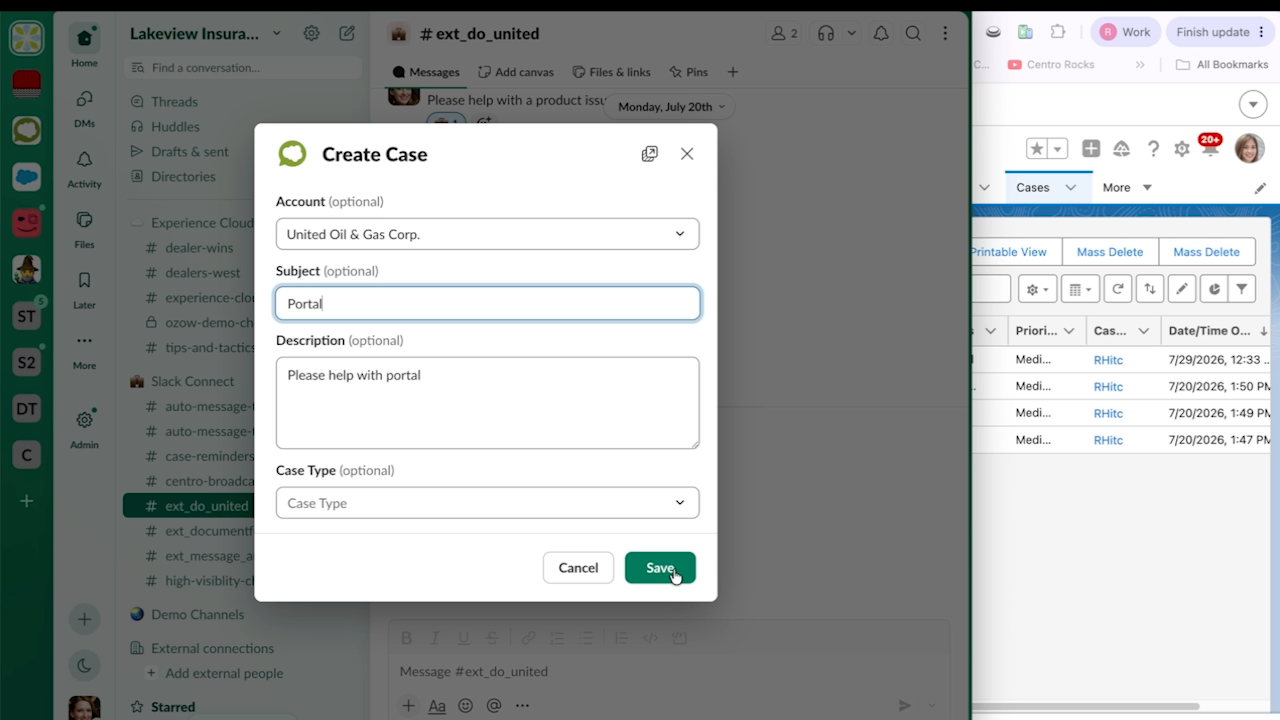
  • Create Cases from a Teams or Slack message.
  • Or create them from a Centro Form.
  • Files and context carry over to the record.
A Centro Create Case form open over a Slack channel, with Account, Subject, Description, and Case Type fields.

A conversation for every case or care plan

  • Open a channel or chat per record automatically.
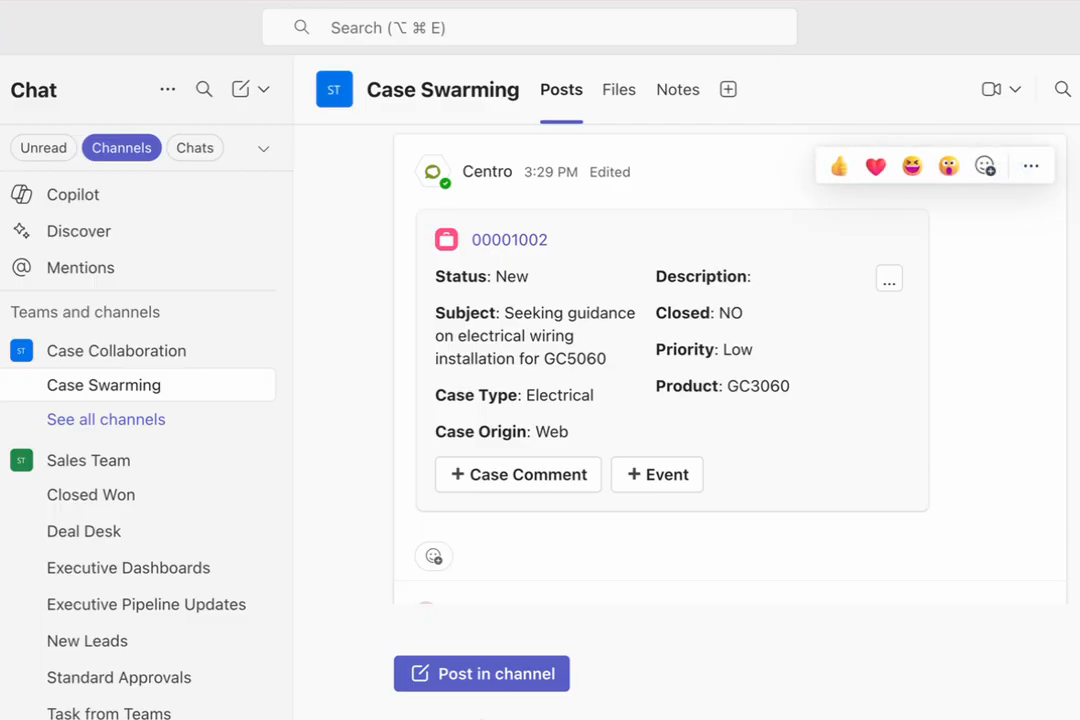
  • A live record card shows status, owner, and next step.
  • Updates to the record show on the card.
A Salesforce case record card posted by Centro in a Microsoft Teams channel named Case Swarming, showing case fields alongside Case Comment and Event action buttons.

You control what appears in chat

  • Admins choose which fields show on record cards, per record type.
  • The choice is made in Salesforce.
  • Sensitive fields can stay in Salesforce and out of chat.
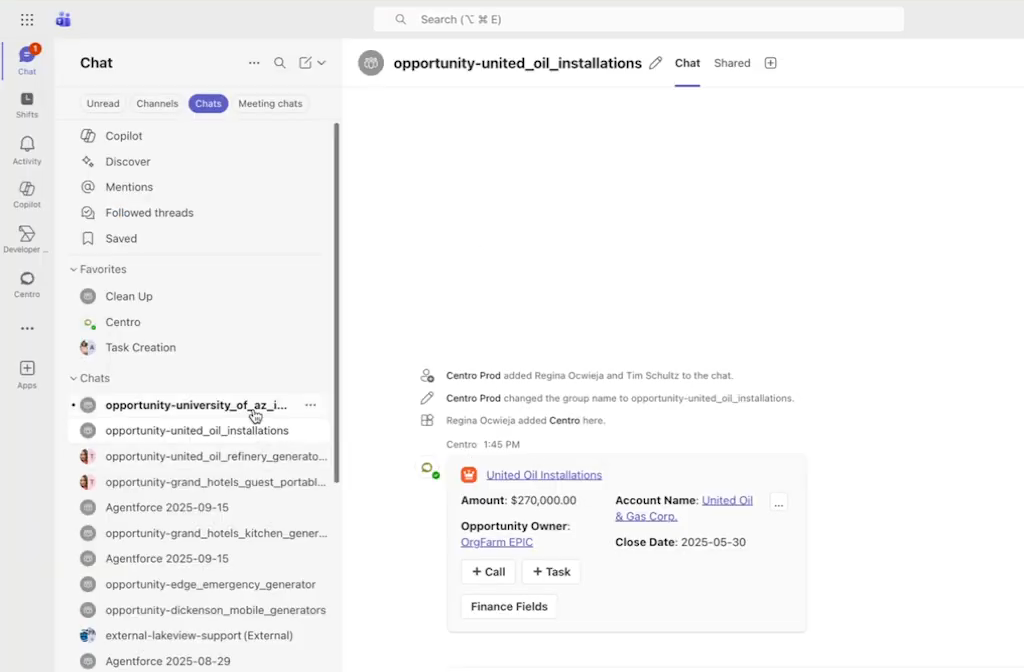
The Microsoft Teams sidebar listing Salesforce record-named chats for individual opportunities, with one opportunity conversation open beside its Centro record card.

Handoffs and alerts through Flow

  • Referrals, escalations, and overdue tasks post to the right team or person.
  • Each message has buttons to act on the record.
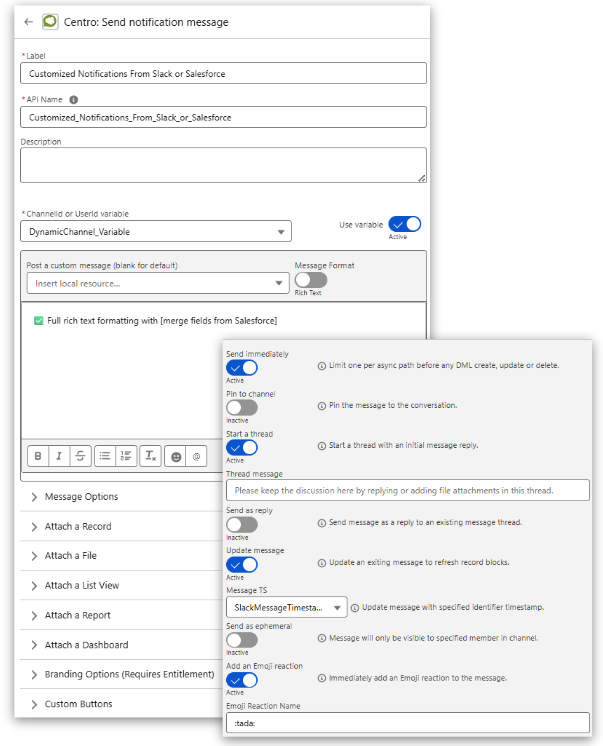
  • Alerts are configured in Salesforce Flow.
Centro notification action configuration in Salesforce Flow Builder

For life sciences

Commercial and field teams, connected to Salesforce

Field and commercial teams update accounts and opportunities from Teams or Slack, and colleagues without Salesforce licenses can weigh in on the same record.

Account and opportunity updates

Reps edit records from a card in chat. Validation rules and permissions still apply.

Approvals in chat

Requests go to the approver in Teams or Slack, and the decision is recorded in Salesforce.

Individual attribution

Every update is logged to the person who made it, not a shared integration user.
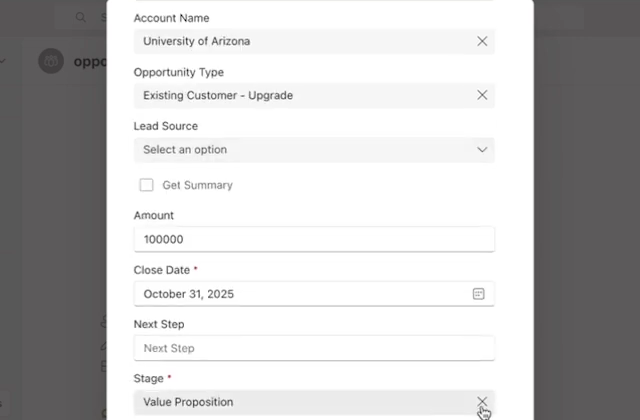
The Centro Edit Opportunity form open inside Microsoft Teams, showing editable Salesforce fields including account name, opportunity type, amount, close date and stage.

A Salesforce account card in a Microsoft Teams channel.
Answers with sources, for licensed users

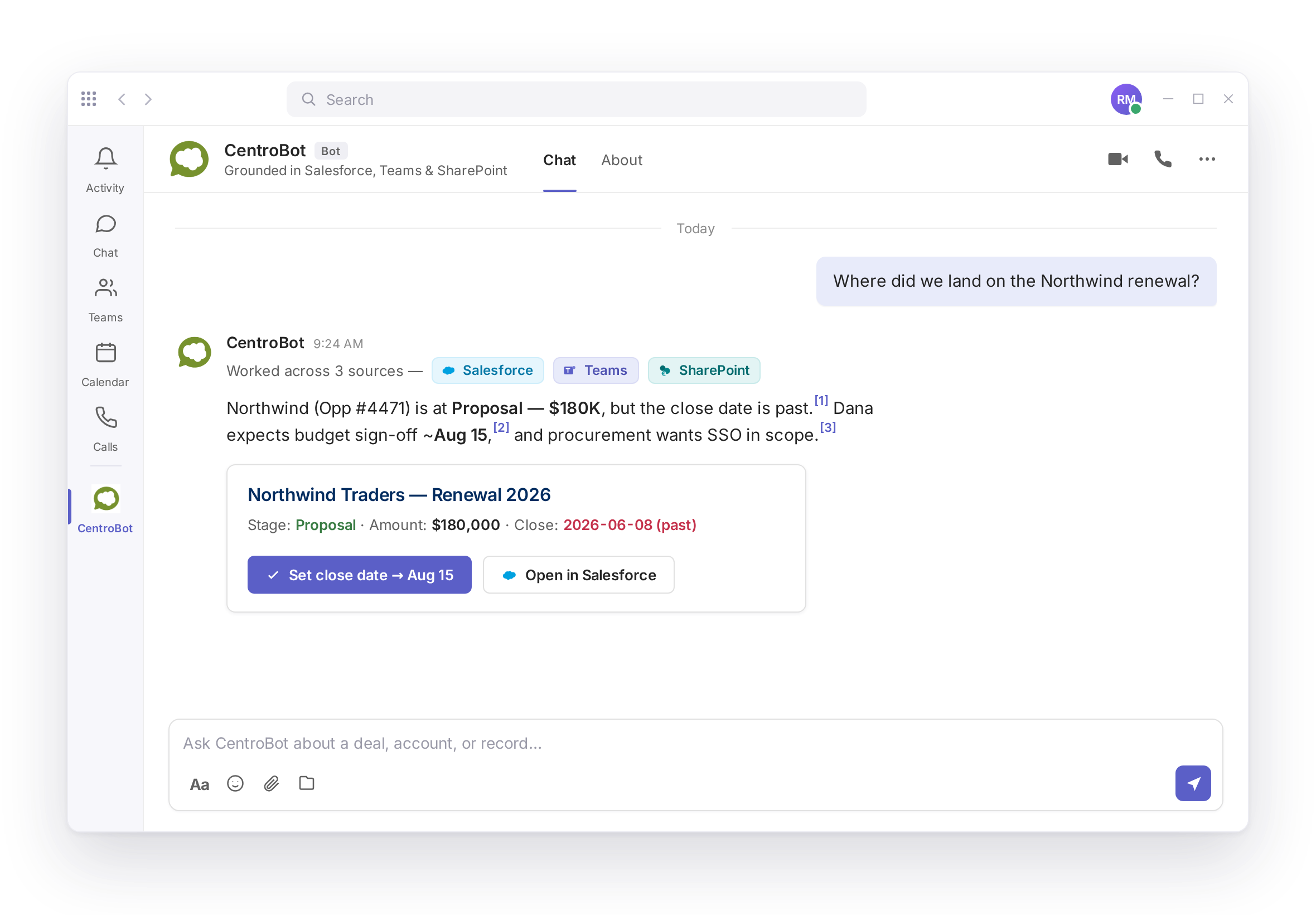
  • CentroBot answers questions from Salesforce, SharePoint, and Teams with a citation on every answer.
  • It only returns data the user is permitted to see in Salesforce.
  • Every create or update asks for approval before it writes.
CentroBot in Microsoft Teams answering a renewal question with cited sources from Salesforce, Teams, and SharePoint.

Built for Salesforce admins

  • Works with standard and custom objects, including Health Cloud
  • Fields in chat chosen per record type
  • Salesforce permissions always apply
  • Teams and Slack users take part without a Salesforce license
  • Installs from AppExchange and Microsoft Marketplace
SOC 2 Type II, audited annually by A-LIGN. We sign a BAA with any customer who asks.
Security details

Frequently asked questions

Does Centro sign a BAA?

Yes. Centro signs a BAA with any customer on request.

No. Centro keeps no shadow data store. Records stay in your Salesforce org.

Yes. Admins choose which fields show on record cards, per record type, in Salesforce. Sensitive fields can stay out of chat.

Yes. Centro works with standard and custom objects, including Health Cloud.

No. Teams and Slack users take part without a Salesforce license. Salesforce permissions still apply.

Plans and prices are listed on the pricing page.

See it with your own care workflows