
Our office:
1495 Canyon Blvd
Suite 107
Boulder, CO 80302
info@centro.rocks



Compare
Salesforce agents in Slack and Microsoft Teams.
Slackbot has become Salesforce's AI agent inside Slack, with connections into CRM, Tableau, Data 360, and Agentforce. If your company runs on Slack and Salesforce, it is the first thing you should evaluate. CentroBot is built for the cases Slackbot does not cover: users on Microsoft Teams, users that need Salesforce to prompt the rep instead of waiting for a question, and companies with people outside Salesforce who still need to be in the loop.
Salesforce's native AI agent in Slack. Since early 2026 it answers questions about CRM data, runs Agentforce agents, and connects to Tableau and Data 360 through MCP. It is included in Slack Business+ and Enterprise+ plans, and it reads and edits Salesforce records through Salesforce-hosted MCP servers, which require Enterprise Edition or above. Check Slack's current plan requirements for any additional license requirements.
Where it fits: Slack-first companies already on Agentforce that want CRM questions answered inside Slack without another vendor.
Runs in: Slack and Salesforce Lightning
Owned by: Slack and Salesforce admins
Pricing model: Included in Business+ and Enterprise+ plans
Limits: No Microsoft Teams version, pull model

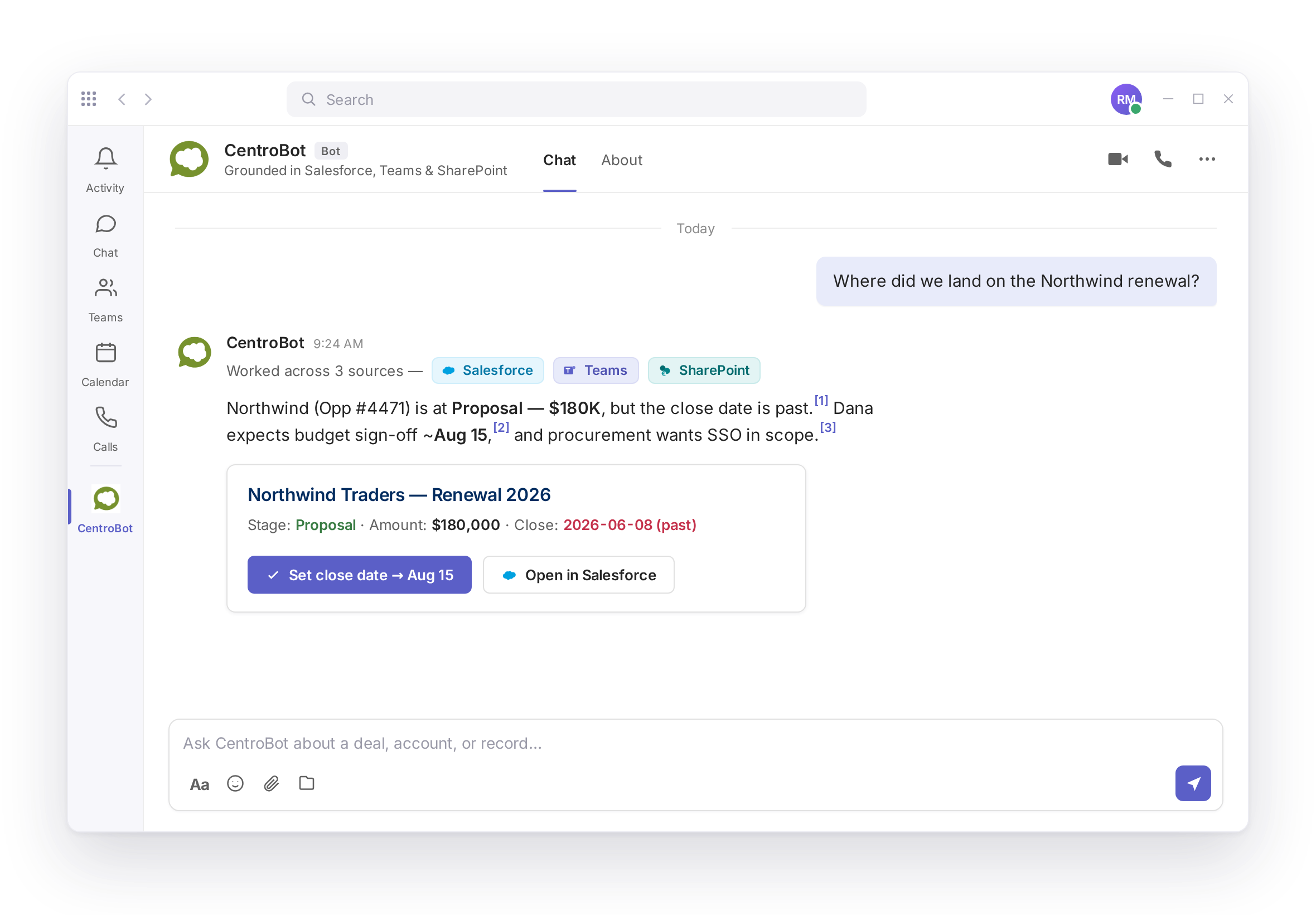
Centro's Salesforce agent for Microsoft Teams and Slack, running on the Centro integration, which has connected workplace chat and Salesforce since 2020. It answers questions about Salesforce, Teams, SharePoint, and Outlook data live at question time, with cited sources and a confirmation step before every write. Action Prompts let Salesforce message the rep first when a record needs attention. Automation is built in Salesforce Flow by your Salesforce admin. Pricing is flat per user with no message metering, and non-licensed teammates are reached through a governed automation user. Additional MCP servers can be added.
Where it fits: Sales, RevOps, and client teams that communicate in Microsoft Teams and want to keep Salesforce up to date without leaving it, and companies that need non-licensed teammates in the loop.

Slackbot answers in Slack when you ask. CentroBot prompts the rep, in Teams or Slack, before you have to.
| Criterion | Slackbot | CentroBot |
|---|---|---|
| Runs in | Slack, Salesforce Lightning | Microsoft Teams and Slack |
| Model | Pull: user asks | Push and pull: Action Prompts plus questions |
| Data sources | CRM, Tableau, Data 360, Agentforce | Salesforce, Teams, SharePoint, Outlook, custom MCP servers |
| Cited answers | Check current release | Yes, every answer cites its source |
| Confirmation before write | Check current release | Yes, on every create or update |
| Create and manage channels from records | Salesforce Channels, separate feature | Yes, from Salesforce Flow |
| Include teammates without a Salesforce license | No CRM actions | Yes, via the automation user (declarative layer) |
| Metering | Included in Business+ and Enterprise+ plans | None, flat per user |
| Built and owned by | Slack and Salesforce admins | Salesforce admin in Flow |
| Data path | Salesforce and Slack | Salesforce API, no shadow data store |
| Licensing | Per user, on top of Microsoft 365 Copilot where required | Flat per user |
A Slack-first company on Agentforce can run Slackbot for questions and CentroBot for prompts, channels, and the Teams side of the house. They do not compete for the same work, and CentroBot does not require you to drop Slackbot.
If your whole company is in Slack and already on Agentforce, Slackbot is the default and it should be. If part of your company is in Microsoft Teams, or you need Salesforce to reach out to the rep instead of waiting to be asked, that is CentroBot. See every comparison on one page. Book a demo.
No. Slackbot runs in Slack and in Salesforce Lightning. CentroBot is a Salesforce agent that runs in Microsoft Teams and Slack.
Yes. Slackbot reads and edits Salesforce records through Salesforce-hosted MCP servers, available to Enterprise Edition orgs and above on Slack plans that include Slackbot. Check Slack's current plan requirements for any usage charges.
Yes. Action Prompts fire from Salesforce Flow when a record needs attention, in a Teams or Slack DM, and the rep answers in the thread.
No. CentroBot uses the Salesforce MCP server. If you do buy Agentforce, Centro can surface your Agentforce agents in Teams as a separate product.
No. Pricing is flat per user with no message or credit metering. AI inference is included.
A 30-minute walkthrough of what you have, what you need, and which method fits.